In today’s digital banking landscape, the Aadhaar Enabled Payment System (AEPS) has become a cornerstone for financial inclusion in India. It allows users to perform basic banking transactions—like cash withdrawal, balance inquiry, and fund transfers—using only their Aadhaar number and biometric authentication. However, this very convenience can become a vulnerability. If you suspect unauthorized access or simply wish to proactively secure your account, knowing how to stop AEPS cash withdrawal is a critical piece of financial literacy. This guide will walk you through the why, how, and what-next of securing your AEPS-linked bank account.
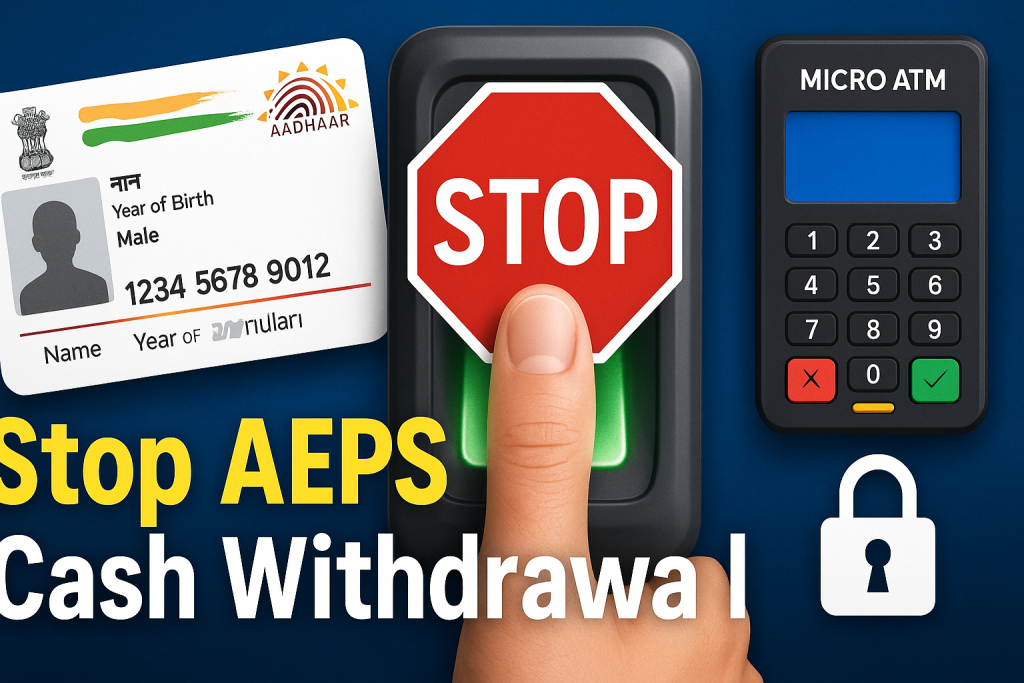

Understanding the AEPS Framework and Its Risks
First, let’s demystify AEPS. Think of it as a biometric key to your bank account. When you authenticate a transaction with your fingerprint or iris scan at a MicroATM (typically operated by a Business Correspondent or “Bank Mitra”), you’re essentially proving it’s you without needing a card, PIN, or phone. It’s powerful tech designed for simplicity.
The risks, however, are real and often stem from:
-
Biometric Data Theft: While difficult, there have been instances of cloned fingerprints or manipulated biometric systems.
-
Misuse by Business Correspondents: A dishonest agent could attempt multiple transactions without your full consent.
-
Aadhaar Number Leakage: If your Aadhaar number is compromised (from documents, leaks, etc.), it could be misused in collusion with a corrupt agent.
-
Lack of Transaction Alerts: Unlike UPI, AEPS transactions don’t always trigger instant SMS alerts, delaying fraud detection.
The moment you notice a suspicious withdrawal or lose control of your Aadhaar details, your immediate goal becomes learning how to stop AEPS cash withdrawal on your account to prevent further damage.

Immediate Steps to Halt Unauthorized AEPS Withdrawals
Act swiftly and methodically. Here is your action plan:
1. Contact Your Bank Immediately (The First and Most Crucial Step)
This is non-negotiable. Call your bank’s 24/7 customer care number. Clearly state that you want to “block AEPS transactions” or “disable Aadhaar-based banking” on your account. The customer service executive can place an immediate restriction, often in real-time. Follow up by visiting your home branch at the earliest. Submit a written request for disabling AEPS on your account and file a formal complaint for any unauthorized transactions you’ve observed.
2. Lock Your Aadhaar Biometrics via the UIDAI Portal
This is a powerful, centralized tool provided by the Unique Identification Authority of India (UIDAI). By locking your biometrics, you render them useless for any authentication, including AEPS.
-
How to do it: Visit the UIDAI website or use the mAadhaar app.
-
Navigate to the “Lock/Unlock Biometrics” service.
-
You will need your Aadhaar number and a registered mobile OTP to enable the lock.
-
Once locked, no one, including you, can use your biometrics for authentication until you unlock it. This is the most definitive technical method for how to stop AEPS cash withdrawal at its root.
3. Change Your Bank Account Credentials
While AEPS doesn’t use a PIN, updating your internet banking password, mobile banking PIN, and card PINs is a prudent step. It ensures compartmentalized security and prevents potential cross-channel fraud, especially if you suspect your overall account security is breached.
4. File a Complaint with the National Cyber Crime Portal
If you have been a victim of fraud, report the incident at the National Cyber Crime Reporting Portal. This creates an official record and aids authorities in tracking systemic frauds. Provide all details: transaction IDs (from bank statement), amount, time, and the associated Business Correspondent code if available from your bank statement.
Proactive Measures: Preventing AEPS Fraud Before It Starts
Prevention is always better than cure. Integrate these habits into your financial routine:
-
Regularly Monitor Your Bank Statements: Scrutinize your passbook, SMS alerts, or banking app for any small, unauthorized AEPS transactions. Fraudsters often start with small amounts to test the waters.
-
Be Cautious with Your Aadhaar Number: Treat your Aadhaar number like a financial instrument. Do not share it freely, especially on unverified platforms or with unknown individuals. Mask it (show only last 4 digits) on physical documents where possible.
-
Verify the Business Correspondent Agent: Ensure you are dealing with an authorized agent, usually identifiable with a branded kit and ID. Be observant during the transaction.
-
Use the “Time-based OTP” for Aadhaar Authentication: For online services, opt for the “Time-based OTP” sent to your registered mobile instead of biometrics where available. It’s more controllable.
-
Know Your Transaction Limits: Be aware of the daily transaction limits for AEPS set by your bank and NPCI. This can limit potential loss.
The Role of Banks and UIDAI in AEPS Security
It’s a shared responsibility. Banks are required to have robust systems to detect unusual AEPS transaction patterns. UIDAI continuously enhances security protocols, with the biometric lock being a prime example. As a user, your power lies in utilizing these tools and reporting gaps. Regulatory bodies like the RBI have also mandated stronger customer protection guidelines, making banks more accountable for resolving fraud complaints.
Frequently Asked Questions (FAQs)
Q1: If I lock my Aadhaar biometrics, will it affect other Aadhaar-linked services?
A: Yes, it will. Once locked, you cannot use your fingerprint or iris scan for any service, including AEPS, SIM card verification, or PAN linking. You must temporarily unlock it (which also requires an OTP) to use these services.
Q2: Can I disable AEPS for cash withdrawal but keep it for balance inquiry?
A: Typically, no. Banks and the AEPS system generally allow you to enable or disable the service as a whole. Disabling it will stop all AEPS-based transactions on your account.
Q3: How long does it take for the bank to disable AEPS?
A: The request should be processed immediately or within a few hours. The biometric lock via UIDAI is instantaneous.
Q4: Will disabling AEPS affect my normal debit card or UPI transactions?
A: No, not at all. Disabling AEPS only blocks transactions initiated through the Aadhaar authentication channel. Your debit card, cheque book, and UPI will continue to work normally.
Q5: I’ve lost money through an unauthorized AEPS withdrawal. Will I get it back?
A: The RBI’s guidelines on customer protection mandate that once you report an unauthorized transaction, the bank must resolve the matter and provide a provisional credit within 10 working days if the fault is not yours. Prompt reporting is key.
Conclusion: Empowerment Through Action
Knowing how to stop AEPS cash withdrawal is about taking back control. The system is designed for empowerment, and with that empowerment comes the responsibility of vigilance. By combining immediate reactive steps—especially the powerful Aadhaar biometric lock—with proactive monitoring and cautious sharing of information, you can significantly mitigate the risks. The tools for security exist; your awareness is the catalyst to use them effectively. Secure your biometrics, communicate clearly with your bank, and make financial safety a consistent habit. Your peace of mind is worth it.
Disclaimer: This article is for educational and informational purposes only. It is not intended as legal, financial, or professional security advice. The procedures and policies of banks and UIDAI are subject to change. Readers are advised to contact their respective banks and refer to the official UIDAI website for the most current information and guidance. If you have any concerns regarding the content of this post, please refer to the standard DMCA takedown procedures for content removal requests.