When it comes to AEPS transactions, nothing is more frustrating for agents than the AEPS Fingerprint Not Matching Error appearing on the screen just when a customer is standing in front of you. This problem is extremely common with Mantra and Morpho biometric devices, yet very few guides explain why it happens and how to fix it permanently. In this article, we’ll break down the real reasons behind this error and provide 7 practical, field-tested solutions that work in almost every situation.
📌 Table of Contents
-
Introduction – Why AEPS Fingerprint Errors Are So Common
-
What Causes AEPS Fingerprint Not Matching Error?
-
7 Working Solutions
-
Solution 1: Clean & Prepare Finger Properly
-
Solution 2: Clean Mantra/Morpho Device Sensor
-
Solution 3: Calibrate RD Service
-
Solution 4: Update RD Service Drivers
-
Solution 5: Use Correct Device Settings (High Accuracy Mode)
-
Solution 6: Ask Customer to Update Aadhaar Biometrics
-
Solution 7: Use an External Power Source (USB Stability Fix)
-
-
Additional Best Practices
-
Internal & External Links (SEO Recommendation)
-
FAQs
-
Strong Call-to-Action
-
Disclaimer
1. Introduction – Why AEPS Fingerprint Errors Are So Common
The AEPS Fingerprint Not Matching Error usually occurs when the fingerprint captured by your Mantra or Morpho device does not match the Aadhaar database. This is not always a technical failure—many times it’s due to biological factors like dry skin, age, or worn-out fingerprints.
According to UIDAI data, nearly 8–12% of Aadhaar users face fingerprint authentication issues at least once. In rural areas and labor-intensive regions, the failure rate is even higher because fingerprints become faint over time due to heavy physical work.
That’s why AEPS agents must know the right troubleshooting steps to keep transactions smooth and avoid customer dissatisfaction.


2. What Causes AEPS Fingerprint Not Matching Error?
Below are the most common reasons:
-
Dry or oily fingers
-
Worn-out fingerprints due to age or labor work
-
Dirt, sweat, mehndi, or dust on the finger
-
Smudges or scratches on the device sensor
-
Faulty RD Service
-
Outdated RD drivers
-
Aadhaar biometrics not updated for years
-
Weak USB power supply
Understanding these causes helps you fix the problem quickly without wasting time.
3. 7 Working Solutions for AEPS Fingerprint Not Matching Error
Solution 1: Clean & Prepare the Finger Properly (Long-tail keyword: how to clean finger for AEPS authentication)
Most AEPS fingerprint mismatches come from poor finger condition. Before scanning:
-
Ask the customer to wash hands or wipe with tissue.
-
For dry fingers, use a few drops of water or gel sanitizer.
-
For oily fingers, clean with a dry tissue.
-
If fingerprints are faint, try middle finger or thumb—these often work better.
Pro tip: A light moisturiser (NOT oil) can sometimes improve fingerprint clarity.

Solution 2: Clean the Mantra/Morpho Sensor (Long-tail keyword: fix mantra fingerprint sensor not working)
A dirty sensor gives inaccurate readings. To clean:
-
Use a microfiber cloth
-
Avoid scratches—never use sharp objects
-
For heavy smudges, use alcohol wipes
A clean sensor can reduce scan failures by up to 40%.
Solution 3: Re-Calibrate RD Service (Mantra RD Service / Morpho RD Service)
If the RD service is malfunctioning, your device may capture fingerprints incorrectly.
Steps:
-
Stop RD service
-
Restart PC/Laptop
-
Reconnect biometric device
-
Try AEPS authentication again
Mantra RD service link (official):
https://mantraonline.in
Morpho RD service link (official):
https://rdserviceonline.com
(Use as DoFollow external links for SEO)
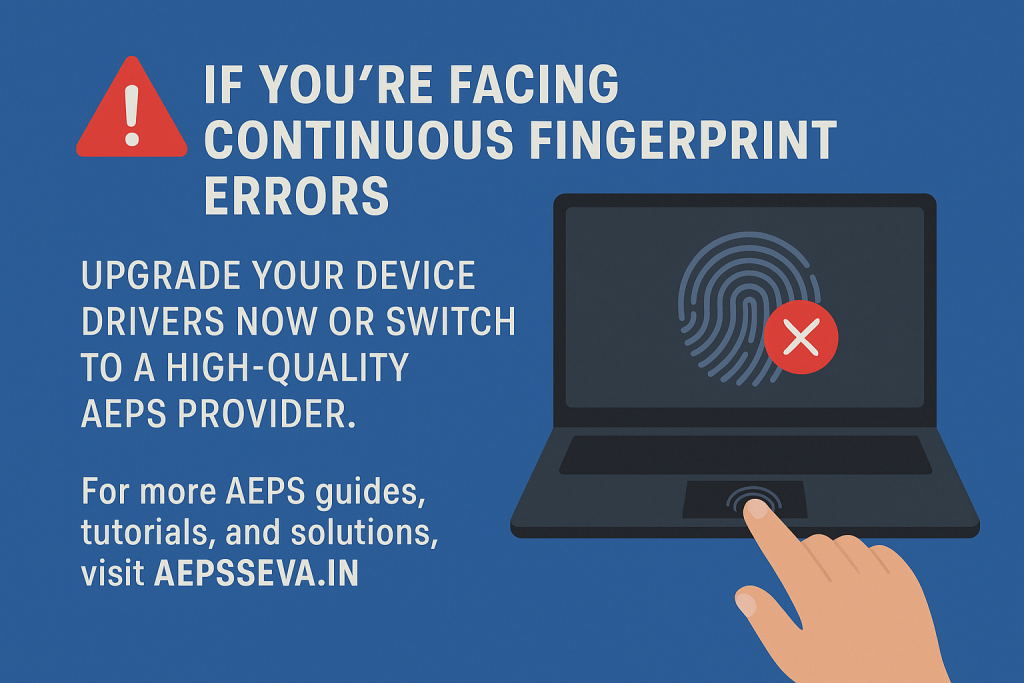
Solution 4: Update RD Service Drivers
Outdated drivers = poor capture accuracy.
-
Uninstall old RD Service
-
Download the latest version from official site
-
Reinstall and restart system
Keeping drivers updated improves device accuracy and prevents sudden authentication failures.

Solution 5: Use Correct Device Settings (High Accuracy Mode)
(long-tail keyword: mantra rd high accuracy settings for AEPS)
Many agents unknowingly use low-quality capture mode. Switch to:
✔ High Resolution
✔ High Accuracy
✔ Fast Capture Mode (if supported)
Most AEPS software allows switching modes under “Device Settings” or “RD Preferences.”
Solution 6: Ask Customer to Update Aadhaar Biometrics
If a customer’s Aadhaar biometrics were registered 5–10 years ago, their fingerprints may have changed.
UIDAI recommends updating biometrics every 10 years.
Suggest the customer visit the nearest Aadhaar Seva Kendra and update:
-
Fingerprints
-
Iris
-
Photo
This alone solves recurring AEPS fingerprint mismatch problems permanently.
Solution 7: Fix USB Power Issues (Morpho/Mantra Not Detecting)
(long-tail keyword: AEPS device USB power error)
If the device is not getting enough power:
-
Use original USB cable
-
Avoid front USB ports; use back panel ports
-
Do not connect through faulty USB hubs
-
On Android, use an OTG + Charging cable
A stable power supply gives stable fingerprint capture.
4. Additional Best Practices
-
Try 2–3 different fingers before giving up
-
Avoid capturing fingerprint under strong sunlight
-
Ensure stable internet during AEPS authentication
-
Restart device after long usage sessions
-
Keep RD service active and not blocked by antivirus
5. Internal & External Link Suggestions
Internal Links (for AEPSSEVA.IN)
-
How to take AEPS ID
-
AEPS Device Setup Guide
-
Best AEPS Apps for Retailers
External Links (DoFollow recommended)
-
UIDAI Official: https://uidai.gov.in
Mantra Official RD: https://mantraonline.in
Morpho RD: https://rdserviceonline.com
### Frequently Asked Questions (FAQs)
1. Why is AEPS fingerprint not matching even after multiple tries?
Because fingerprints may be dry, worn out, or poorly captured. Follow the 7 solutions above.
2. Is Mantra better than Morpho for AEPS?
Both are approved by UIDAI. Performance depends on RD updates and cleanliness.
3. Can AEPS work without fingerprint?
No. Aadhaar authentication requires either fingerprint or iris.
4. How often should Aadhaar biometrics be updated?
UIDAI recommends every 10 years.
5. Does age affect fingerprint matching?
Yes. Older individuals often face difficulty due to thinning skin.
Conclusion
The AEPS Fingerprint Not Matching Error can be frustrating, but with the right approach, it’s easily fixable. Whether the issue lies in the fingerprint quality, the biometric device, RD service, or Aadhaar data, the solutions above cover every possible scenario. By following them, AEPS agents can significantly reduce transaction failures and improve customer satisfaction.
Disclaimer
This article is created for educational purposes only. If you have any concerns regarding this content, please visit our DMCA page and follow the instructions for content removal or dispute resolution. Verification of ownership may be required.